Some links in this article are affiliate links: we may earn a commission at no cost to you, and it never changes which deals we list. MotionKit, Animation Addons and BricksFly are made by the team behind StackwiseDeals. How we check deals
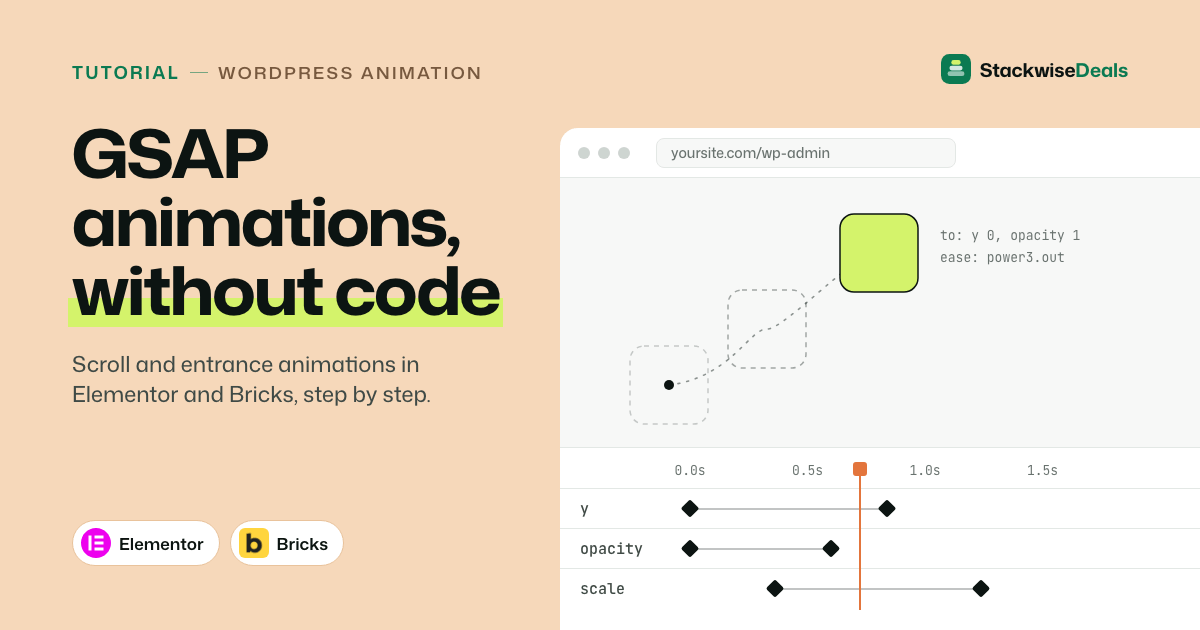
You can add GSAP animations in WordPress without writing JavaScript by installing a plugin that wraps GSAP: MotionKit works with any builder and has a free plan, Animation Addons Pro adds GSAP controls to Elementor, and BricksFly Pro does the same for Bricks. The steps below follow each vendor's own documentation, checked on 29 October 2026.
Disclosure: MotionKit, Animation Addons and BricksFly are made by the team behind StackwiseDeals. Where another tool is a reasonable alternative, we say so.
What do you need before adding GSAP to WordPress?
Three things: admin access to the site, a staging copy to experiment on, and one of the plugins below. You don't need to buy a GSAP licence: GSAP's standard licence covers commercial websites at no charge.
| Tool | Works with | GSAP on the free version? | Paid from (regular) |
|---|---|---|---|
| MotionKit | Any builder or theme | Yes: 1 site, 2 pages, 15 animations | $49 a year, 1 site |
| Animation Addons | Elementor, free or Pro | No, GSAP is in Pro | $49 a year, 1 site |
| BricksFly | Bricks theme | No: preset animations free, GSAP in Pro | $49 a year, 1 site |
| Happy Addons | Elementor, free or Pro | Yes: Text Animation and Appearing Image | $39 a year, 1 site |
MotionKit and Animation Addons are 40% off until 5 November 2026. BricksFly's pricing page advertises 40% off until the same date too, but its buy buttons apply different codes, so check the checkout total. Details are in our explainers for MotionKit, Animation Addons and BricksFly.
How do you add GSAP animations with MotionKit on any builder?
MotionKit installs as a WordPress plugin and connects your site to a hosted visual editor, where you animate your real page. The steps follow its WordPress.org listing; the class tip and the two setup fixes come from the MotionKit getting-started guide.
- In WordPress, go to Plugins > Add New Plugin, search for MotionKit, click Install Now, then Activate.
- Open the MotionKit menu and click Connect to link the site to your MotionKit account (free to create).
- Optional but helpful: in your builder, give the element you want to animate a CSS class, such as
mk-reveal, so it is easy to pick out. - Click Launch Editor. The editor opens on your live page.
- Click the element and apply a preset such as Text Reveal or Stagger Fade Up, or build your own timeline.
- Adjust the timing and easing, and preview it on desktop, laptop, tablet and mobile.
- Publish the animation, then reload the live page to check it.
Two setup problems catch people. Plain permalinks block the connection, so pick any other structure under Settings > Permalinks. And a site on localhost can't be reached by the hosted editor; use a staging URL that is public.
How do you add GSAP animation in Elementor with Animation Addons?
You need Animation Addons Pro for this. The vendor's Free vs Pro page says the free plugin does not include GSAP; free users get Elementor's own entrance effects instead. These steps follow the Animation Addons Animation extension docs, which show the classic Elementor panel.
- Install the free Animation Addons plugin from Plugins > Add New Plugin and activate it. Make sure you are on version 4.2.7 or later, which fixed a stored XSS issue.
- Upload Animation Addons Pro next to it, activate it and enter your licence key.
- In WordPress, open Animation Addons in the admin menu, go to its Extensions tab and switch on Animation. Save.
- Edit a page with Elementor, select the element, open the Advanced tab and expand the Animation section.
- Choose Fade Animation (the other options are None and 3D Move).
- Turn Animation On Scroll on, set Fade From to Bottom, Duration to 1.5 and Ease to Power2.out. Give neighbouring elements slightly different delays (0, 0.15, 0.3) to stagger them.
- Turn on Enable On Editor to preview the motion inside Elementor, then update the page.
For smooth scrolling, the plugin's FAQ says to enable Smooth Scroller in the same Extensions tab. Split text, pinning, parallax and horizontal scroll are separate Pro extensions; switch each one on before you look for its controls. Our best Elementor animation plugins comparison sets this against Happy Addons and the rest.
How do you add GSAP animation in Bricks Builder with BricksFly?
Bricks' own Interactions run on Animate.css, not GSAP, so you need an add-on for scroll-driven or pinned GSAP motion. The free BricksFly plugin is listed on WordPress.org (version 1.0.10, updated 24 October 2026) and needs WordPress 6.9 with the Bricks theme active.
Free route: Starter Animations. Good for simple reveals.
- With Bricks active, go to Plugins > Add New Plugin, search for BricksFly, click Install Now, then Activate.
- In WordPress, go to BricksFly > Elements, enable what you need and save.
- Edit a page with Bricks and click the heading, text, image or container you want to animate.
- In the Content tab of the element panel, open Starter Animation and pick an effect such as Reveal, Scale or Typewriter.
- Set Duration (ms), Delay (ms), Easing and Direction, then turn on Enable On Editor and replay it to check.
GSAP route: BricksFly Pro. Needed for ScrollTrigger, split text and pinning.
- Install and activate BricksFly Pro alongside the free plugin, then activate your licence on the BricksFly licence screen in WordPress (paste the key, or connect your BricksFly account).
- Open BricksFly, go to the Extensions tab and switch on Advanced Animation. Save.
- In Bricks, select the element and open its Advanced Animation settings.
- Choose Fade Animation, 3D Wave or Custom.
- Set Trigger to On Scroll, Fade From to Left, Duration to 1.5 and Ease to Power2.out.
- Turn on Enable on Editor to preview, then save the page.
How do you make a scroll animation scrub or pin with ScrollTrigger?
Pinning holds an element in place while the rest of the page scrolls past. Scrubbing ties an animation's progress to the scrollbar, so it plays forwards and backwards as the visitor scrolls.
- MotionKit: choose the Scroll trigger and set the start and end positions. Turn on Scrub to tie it to scroll progress, or Pin to hold the section in place.
- Animation Addons Pro: to pin, switch on Sticky Elements in the Extension tab. Select the container, open the Advanced tab, find Sticky Elements and set Enable to Yes, Pin to True, Pin Start to Top Top and Pin End to Bottom Top. For sideways movement driven by scrolling, the Horizontal Scroll extension runs over an End distance in pixels that you set on the container.
- BricksFly Pro: to pin, switch on Sticky Elements in the Extension tab. In Bricks, select the container, open the Content tab, find Sticky Elements and set Enable to Yes and Pin to True, then choose Pin Start and Pin End. Advanced Animation also lists a Play with Scroll trigger, but the docs don't describe what it does, so test it on staging.
Keep scroll-linked effects to one or two per page. A pinned hero plus a horizontal gallery is a story; five of them is a slog on a phone.
Which method should you use for GSAP in WordPress?
Match the tool to where you build.
- Elementor only: Animation Addons Pro keeps everything in the Elementor panel next to spacing and typography. Happy Addons is the alternative if you want GSAP text effects for free.
- Bricks only: BricksFly. Start with the free Starter Animations and add Pro when you need scroll-driven effects.
- A mix of builders: MotionKit, because the same tool and saved animations work on every builder.
A worked example at the advertised prices until 5 November 2026: a freelancer with three client sites, two on Elementor and one on Bricks, buying lifetime licences. Animation Addons Professional (5 sites, $95.40) plus BricksFly for 1 site ($47.40, before you've checked its checkout total) comes to $142.80. MotionKit Professional (5 sites, any builder) is $101.40, so $41.40 less. It isn't like for like: Animation Addons Pro and BricksFly Pro also include widgets and templates that MotionKit doesn't. If you haven't settled on a builder yet, our Bricks vs Elementor comparison covers it.
We list prices from vendor pages; how we check them is on our verification page.
What should you check before publishing GSAP animations?
Five quick checks save most support tickets:
- One animation system per element. If Elementor's entrance animation and a GSAP effect both target the same element, it moves twice. Switch the builder's effect off.
- JavaScript delay settings. Optimisation plugins that delay scripts until interaction can stop animations. Exclude the animation plugin's script.
- Mobile. Turn heavy effects down or off on small screens; Animation Addons, MotionKit and BricksFly all have per-device settings.
- Reduced motion. All three plugins and Elementor list reduced-motion support in their docs or listings. Check the page with your device's reduce-motion setting switched on.
- Licence terms. If a BricksFly annual licence lapses, GSAP features stop working until renewal, and Happy Addons says the same for its Pro features. MotionKit's published animations keep running without a subscription; only editing stops. Animation Addons doesn't say what happens to Pro features on lapse, so ask before buying annual.
Frequently asked questions
Is GSAP free to use on a commercial WordPress site?
Yes. GSAP's standard licence says commercial use is covered at no charge, and the whole library, including SplitText and ScrollTrigger, is free.
Does Bricks Builder have GSAP built in?
No. Bricks Interactions use Animate.css for their Start animation action. Add-ons fill the gap; ours are BricksFly Pro and MotionKit, and our best Bricks Builder addons roundup covers the others.
Do I need Elementor Pro to use GSAP in Elementor?
No. Animation Addons, Happy Addons and MotionKit all work with free Elementor. Elementor Pro is only needed for Elementor's own classic scrolling and mouse Motion Effects.
Can I add ScrollTrigger animations in WordPress for free?
Yes, within limits. MotionKit's free plan includes ScrollTrigger controls on 1 site, 2 pages and 15 animations.
Sources (15, checked 29 Oct 2026)
- gsap.com/standard-license/
- wordpress.org/plugins/motionkit/
- motionkit.io/how-to-get-started-with-motionkit/
- animation-addons.com/docs/gsap-extensions/animation-extension-for-elementor/
- animation-addons.com/docs/gsap-extensions/sticky-elements/
- animation-addons.com/docs/gsap-extensions/horizontal-scroll/
- animation-addons.com/free-vs-pro/
- bricksfly.com/docs/getting-started/how-to-install-bricksfly/
- bricksfly.com/docs/starter-animation/how-to-use-starter-animation-in-bricksfly/
- bricksfly.com/docs/gsap-extensions/how-to-add-advanced-animation-using-bricksfly/
- bricksfly.com/docs/gsap-extensions/how-to-make-an-element-sticky-pinned-using-bricksfly/
- bricksfly.com/docs/getting-started/how-to-activate-bricksfly-license-manually/
- bricksfly.com/pricing/
- happyaddons.com/pricing/
- academy.bricksbuilder.io/article/interactions/
Written by
We research software deals for people who build and market websites. Prices in our articles come from each vendor's own site, and every article says when we checked them.